The records stay where they are
Source files, transformation output and batch jobs live in your S3 and your region. There is no copy in our storage, so there is nothing to argue about in a review.



What you get out of the box.
Source files, transformation output and batch jobs live in your S3 and your region. There is no copy in our storage, so there is nothing to argue about in a review.
A role trusts a role. No key is issued, pasted or rotated, and revoking the trust ends the access immediately.
We deliver the environment as code and your team applies it in one run. Setting this up is an afternoon with a definition, not a project with us in every call.
From signal to outcome in four explicit steps, with no hidden hand-offs.
Everything the pipeline needs in your account is defined as code on our side: the buckets, the roles, the job definitions, the network segment, the registry with our images. You are not handed an architecture diagram to rebuild.
Your team applies that definition against the account and region you name, and the environment comes up complete. No ticket queue between us, no week of back and forth about a policy that was pasted slightly wrong.
The last step grants a role in your account the trust to be started by one role of ours. That single grant is the whole integration. No key is issued, and withdrawing it ends the connection the same second.
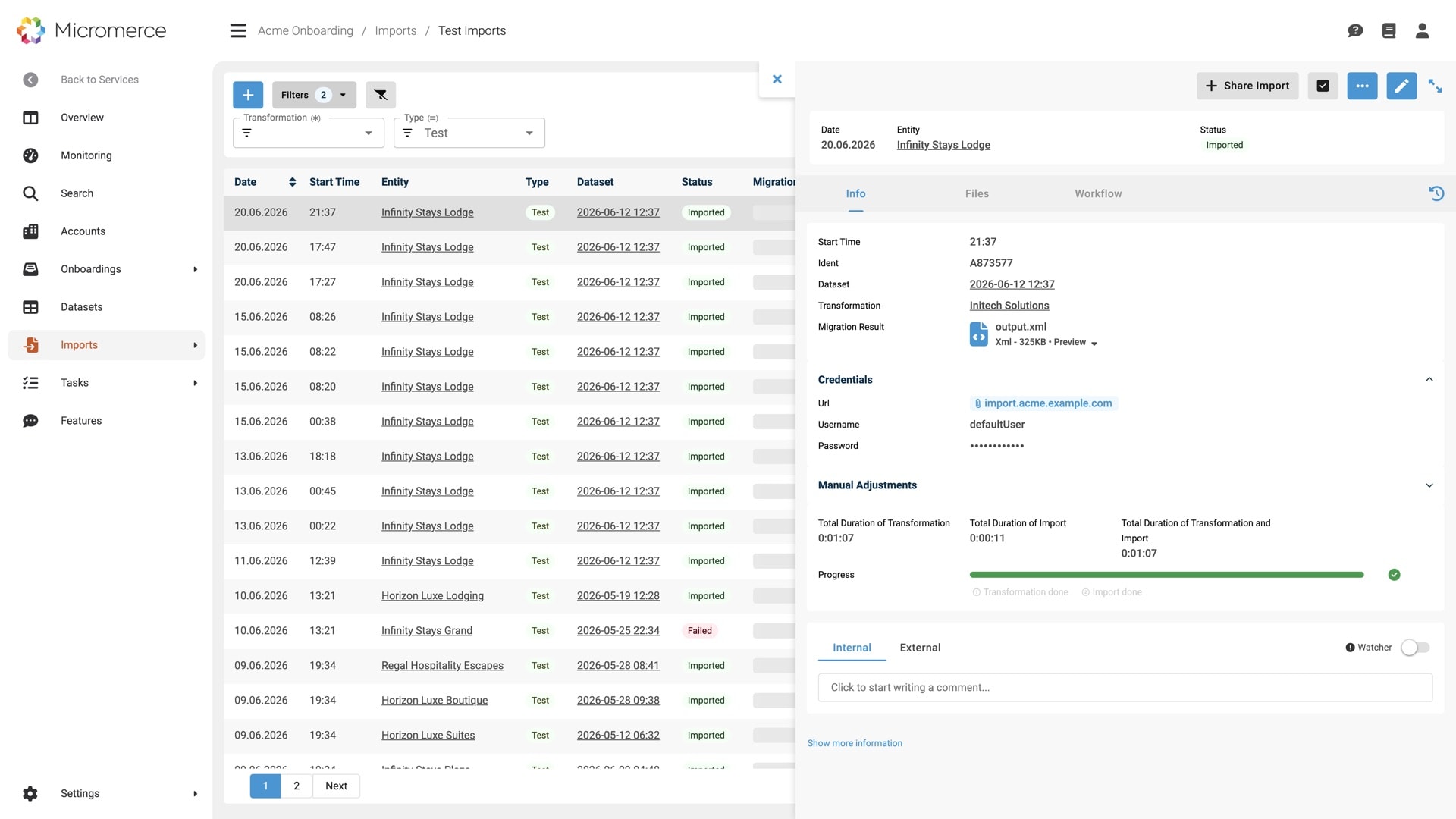
Post the location of a source file and the run starts: read, transform, validate, write to your target systems, all inside your account. We trigger it, watch it and report it. Every further migration is the same call again.
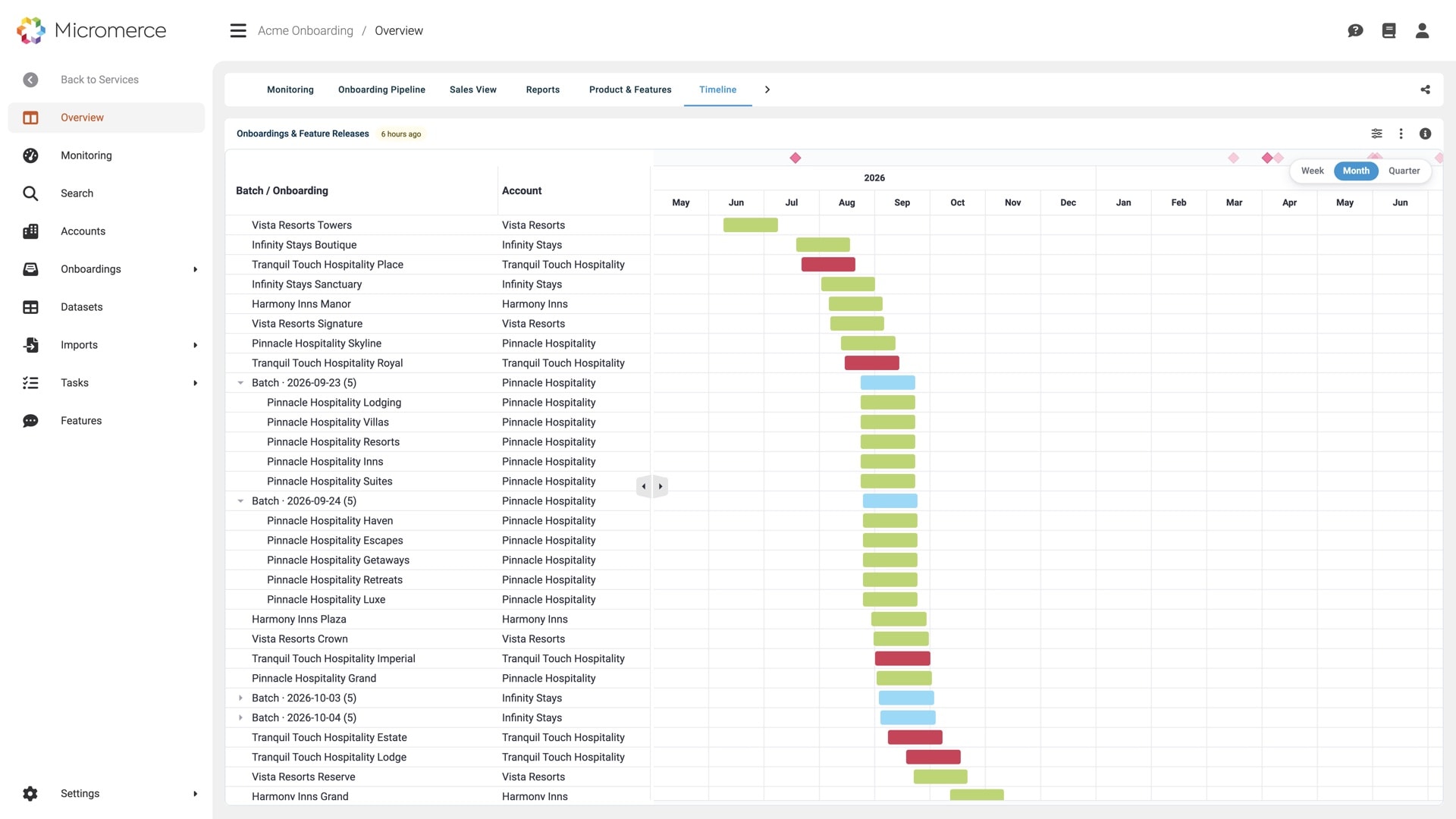
Every headline backed by a concrete workflow. The screenshots show the product with demo data.
Source files, transformation output and the batch jobs that produce it all sit in your own S3 and your own region. Nothing is copied into our storage on the way through, because there is no way through. The work happens where the data already is.
No access key is issued, handed over or rotated. A role in your account trusts a role in ours to start the jobs, and nothing else. Withdraw the trust and the access is gone the same second, without anyone hunting for a credential that was pasted somewhere.
30-minute call. Bring your account setup and your constraints, we walk through the runbook.
You post the S3 location of a file you already have and name what it is. A dataset is created against the onboarding from that, with its metadata. No upload into a media service, no file names that have to follow a convention for the pipeline to recognise them.
The component that reads your sources runs in its own network segment, separated from everything else. What it needs is baked into the images we sync into your registry, so a run does not pull half the internet while it is inside your account.
Setting this up is a documented sequence your own infrastructure team can follow: the account and region, the roles and their trust, the registry sync, the first run. Written to be executed without a standing call with us.
Typical situations, as they come up in our calls. See whether one of them is yours.
The records are in audit scope and may not leave the account they sit in. Copying them into a vendor bucket is a finding, however well encrypted.
The pipeline runs in the customer's account. The data never left, and the engine still maps, validates and imports.
Health records may not leave the covered environment, and every copy outside it is another processor to contract for and account for.
The migration runs where the records already are. Nothing is copied out, and every step is evidenced in the audit trail.
Procurement asks who holds a key, how it rotates and what happens at contract end. Every answer with a shared credential costs weeks.
There is no key. A role trust is granted, evidenced and withdrawn in one step.
What customers do today when the data is not allowed to move.
Other parts of the platform you'll use alongside this.
AWS today: your account, your region, your S3, your registry. The pipeline is built around account and region as configuration, so a second provider is a port rather than a rewrite. AWS is what runs in production now.
The orchestration: which run started, which step it is on, how many records were read, matched and written, and what failed. The records themselves stay in your account. Reports and the audit trail are built from the run, not from copies of your data.
You create a role in your account whose trust policy names one role of ours, scoped to starting the migration jobs. No access key exists. Removing the trust policy ends it immediately. No credential stays valid somewhere.
No. Most customers run on our infrastructure, in the region they choose, and that is the simpler path. Bring Your Own Cloud exists for the cases where the records are not allowed to move at all.
You name an account and a region and apply the definition we ship. It creates the buckets, the roles, the job definitions, the network segment and the registry sync. Then you grant one trust and run a test dataset through. The manual part is the account name, the region and the trust.
Yes. A run can trigger more than one target API, which is the normal case when a migration lands in a platform plus a back office rather than in one place.
30-minute call. Bring an onboarding you are running today, we show you where the time goes.