🧭
Led, not chased
The customer sees the whole path and their own next step. Your team stops sending reminders that explain the process again.



What you get out of the box. No premium tier.
The customer sees the whole path and their own next step. Your team stops sending reminders that explain the process again.
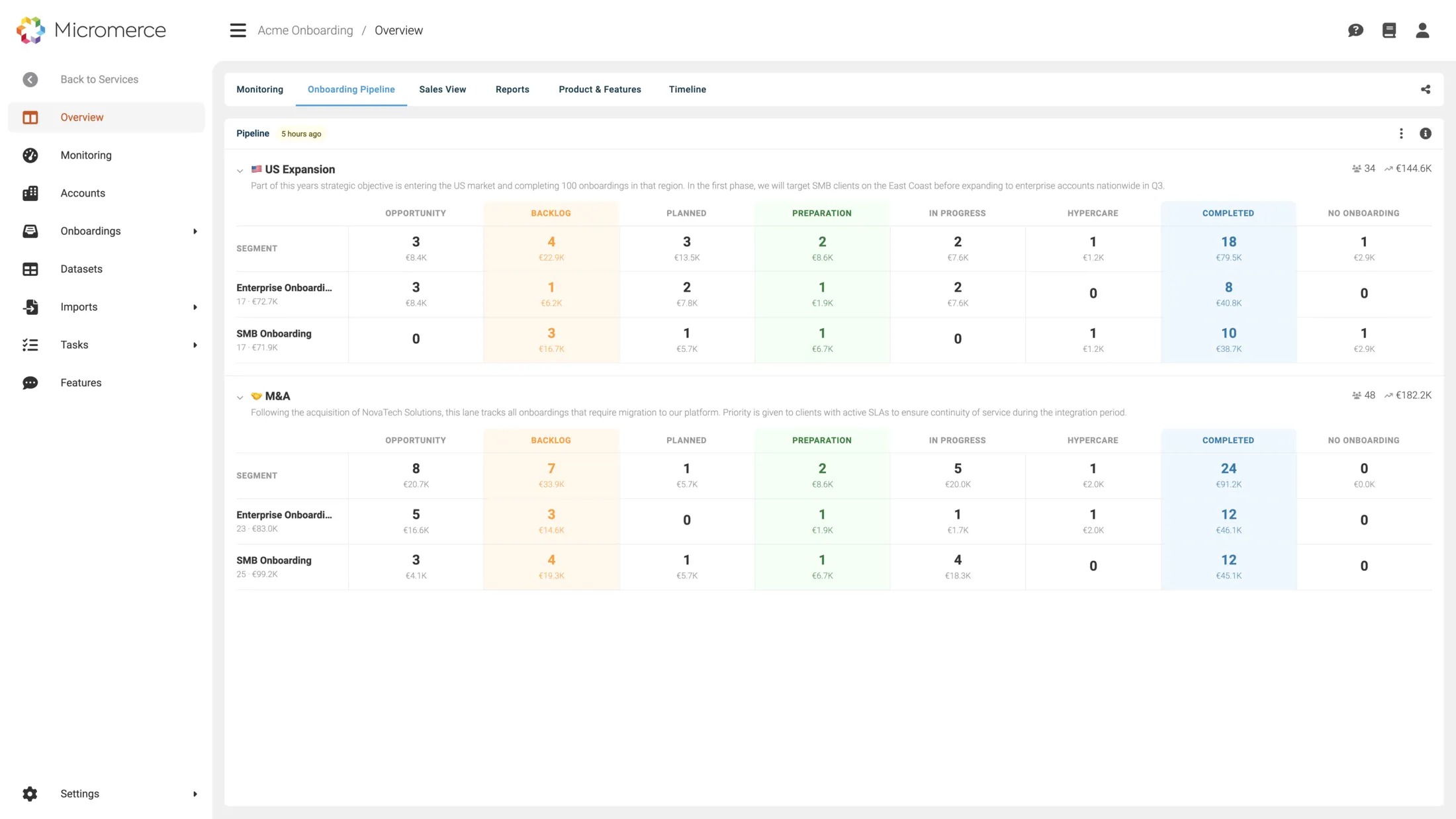
One location or thirty: the same overview, with stage and progress per site instead of a status call.
Match rates, discrepancies and readiness are visible to the customer. Quality stops being a claim your team has to defend.
From signal to outcome in four explicit steps, with no hidden hand-offs.
The customer record creates the portal with your branding: subdomain, logo and colours, or your own domain.
SSO and OAuth for their staff, a magic link for the one-off external collaborator. No password setup to talk anyone through.
Each task has an owner: your team, the customer, or their IT partner or agency. Comments sit on the task instead of in someone's inbox.
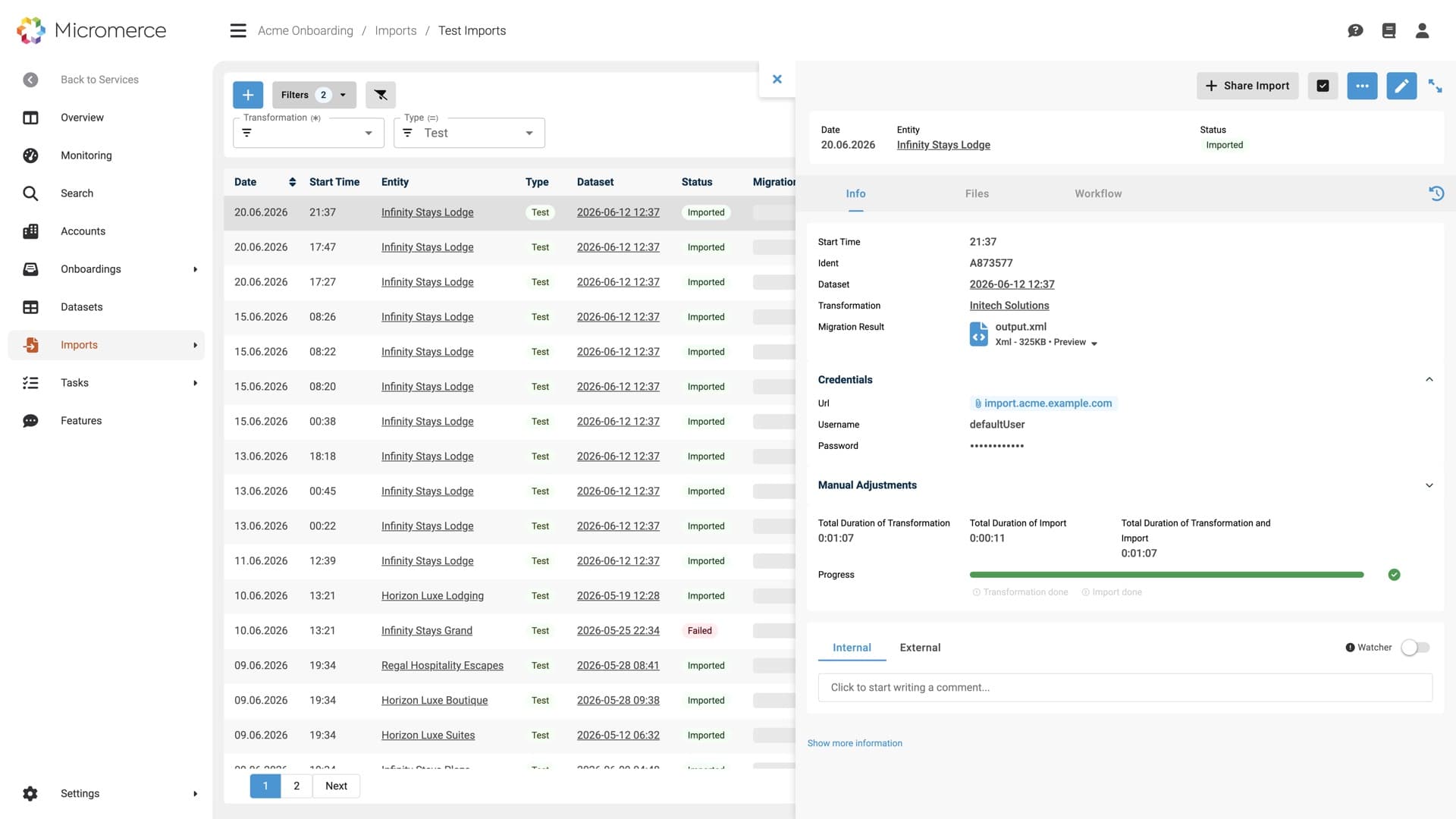
Source data goes in as a step of the flow. Import results, readiness and the validation report land in the same place, readable by both sides.
Every headline backed by a concrete workflow. Screenshots show what your team will actually use.
Every onboarding runs on its own task list. Each task has an owner: your team, the customer, or their agency. Nobody has to ask what is expected of them.
The customer uploads their source data where the task sits. The import starts from there and the results land in the same list. No attachments circling between inboxes.
30-minute call. Bring one onboarding you are running today, we show you what your customer would see.
Chains and franchises see every site in one overview, with stage and progress per location. Nobody assembles status from a spreadsheet any more.
Readiness is measured, not estimated: every location against every check, in one grid. Green goes live, red carries its reason. You know before you book a date.
The validation report opens in the portal, in the customer's branding: records compared, matched, discrepancies and match rate per data type. The conversation moves from trust to numbers.
Anonymised from our customer base. See whether one of them is yours.
A chain with thirty properties onboarding at once. Status lived in a spreadsheet that was outdated by the time it was shared.
Every property visible in one overview, readiness measured per site. The status call became a link.
Customer, their IT partner and the practice staff all needed the same picture. Parallel email threads meant three versions of the truth.
One shared view for all three parties, with each task owned by the side that has to act.
Every customer onboarded together with an implementation partner, and the hand-offs between vendor, partner and customer were invisible.
A three-way view where the hand-off is a task with an owner rather than an assumption.
The three most common alternatives our customers come from.
Other parts of the platform you'll use alongside this.
Yes. Subdomain, logo and colours are built in; a fully custom domain comes with the Professional tier. Your customer sees your brand, not ours.
SSO and OAuth federation with MFA for regular users. For a one-off agency or IT contractor, a magic link avoids an account nobody uses twice.
Yes. The customer, their IT partner and their end users share one view, and every task carries the owner who has to act on it.
The validation report: records compared, matched, discrepancies and match rate per data type, the field mapping behind it, and the methodology. Not a summary of it. The report itself.
That is where it earns its keep. Chains and franchises get one overview across all sites, with readiness scored per location rather than for the account as a whole.
Yes. CSAT, CES and NPS are collected inside the flow, not through a separate survey tool, on a 30-day rolling trend. The customer answers where they already are.
30-minute call. Bring an onboarding you are running today, we show you where the time goes.

We use cookies!